Suno Prompt Generator & Metatags
Build your song with drag-and-drop tags for structure, voice, instruments, energy, and more. Search tags, add negative prompts, and copy your work into Suno.
Open Suno Prompt GeneratorNot affiliated with Suno, Inc.
The creative toolkit for Suno
An idea. A song. A whole world.
Build better Suno prompts with drag-and-drop metatags, AI lyrics, and style tools. Then refine your audio, create cover art, and turn your songs into videos.
Song title
Style & mood
One toolkit. Your creative process.
Start with an idea, a lyric, or a finished track. Pick the tools that move your project forward.
Lyrics, musical references, and prompts for Suno.
Build your song with drag-and-drop tags for structure, voice, instruments, energy, and more. Search tags, add negative prompts, and copy your work into Suno.
Open Suno Prompt GeneratorTurn a title, musical style, and theme into structured lyrics. Choose your language, then make the words your own.
Find it in the Prompt GeneratorRefine your style prompt and annotate your lyrics with musical direction, using your song’s title, style, and words as the starting point.
Find it in the Prompt GeneratorDiscover musical directions hidden in your lyrics. Explore genre interpretations, a style prompt, and annotated lyrics with mood and vocal controls.
Find your lyrics’ soundStart from an artist or track. Explore Last.fm tags and use AI enhancement to turn that musical reference into a structured Suno prompt.
Build a style promptTranslate reference audio into words. Analyze rhythm, tempo, mood, instruments, and structure to create a prompt you can use in Suno.
Turn audio into a promptAudio tools for the details that matter.
Reduce unwanted noise and artifacts in your audio. Choose a preset, compare the original with the cleaned version, and download the result.
Clean up your audioGive your track a final audio pass with genre presets and Basic or Pro mastering. Use the A/B comparison to hear the difference.
Master your trackCheck your track’s loudness and streaming compliance. Normalize when needed, then download the processed audio as a WAV file.
Check your levelsUse the processing your track needs. Loudness analysis and normalization are separate steps.
From artist identity to the final frame.
Take your track through storyboard, start frames, video clips, and final assembly. Explore Cinematic, Avatar Lipsync, and Platinum modes, from hooks to full videos.
Create a music videoGive your song its cover. Use your Suno prompt, lyrics, visual style, and artist image to generate artwork for Suno, CD, or combined formats.
Create your cover artPair your audio with a cover, track details, and a music visualizer. Create a video presentation of your song, with optional AI subtitles.
Make a visualizer videoPlan a video before producing it. Build storyboards, reference images, and prompts to take into tools such as Kling, Runway, or Veo.
Direct your next videoBuild a reusable artist identity. Extract a vocal stem for Suno Persona, develop a Music Identity Blueprint, and carry your artist into VideoClip Director.
Shape your artist identityA visualizer for your track? Start with Video Studio. A storyboard for another AI tool? Use VideoClip Director. Generated scenes and a final MP4? Explore Music Video Generator.
See how it fits togetherSave, revisit, and build on your creative work.
Premium Workspace
Keep projects and folders alongside saved Suno songs, artist identities, videos, and cover art. Reuse lyrics, protagonists, and visuals as your next idea takes shape.
Back up audio from Suno song or playlist URLs. Download music files with MP3 and WAV options, subject to content access and your plan.
Back up your musicSave the title and prompt of public Suno songs from Chrome to Suno Songs in your Workspace. Keep useful musical references close to your projects.
Choose the setup that fits your workflow. Premium unlocks Workspace features; Studio Credits and Video Credits are separate balances for creative tools.
Explore current plansOne way to spend your 20 free credits
Total20 credits
Just an example. Every tool shows its cost before you generate. Music Video Generator uses separate Video Credits.
From spark to finished project
Follow an idea from start to finish, or jump in wherever you need a hand.
Write lyrics, explore a musical direction, and add the tags that describe what you want to hear.
Copy your lyrics and style prompt into Suno to generate the music.
Use SMTC to refine the audio, create artwork, or turn the song into a video.
Download your results and use Premium Workspace to keep reusable project materials together.
Tutorials & music videos
Learn SMTC with tutorials covering prompts, lyrics, audio, artwork, and video. Explore the tools step by step, then see music videos from the channel.
Visit our YouTube channel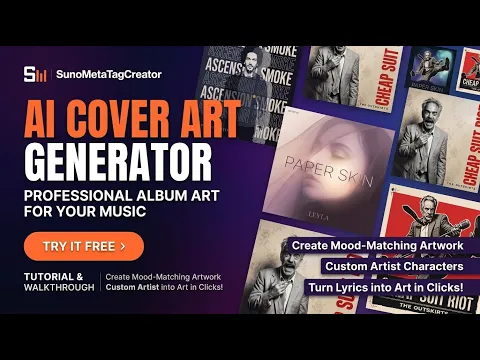 3:34
3:34Watch the tutorial on creating album artwork for your music.
Watch tutorial on YouTube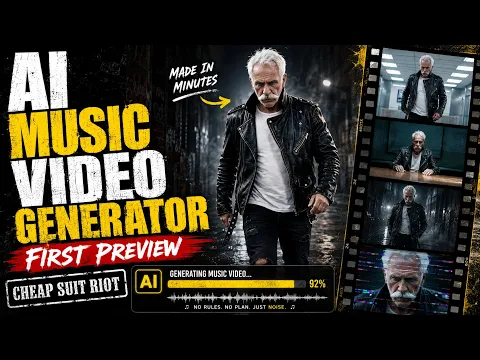 2:35
2:35A first-preview music video from SMTC’s Music Video Generator.
Watch music video on YouTubeA few useful things to know
Describe the musical style, mood, instruments, and vocal direction in the style prompt. Put your lyrics and section tags, such as [Verse] and [Chorus], in the lyrics field. SMTC helps you prepare both: copy them into Suno when you are ready to generate your song.
Metatags are short directions that help communicate your intended song structure or performance. In lyrics, tags such as [Chorus] use square brackets. In the style prompt, describe your sound in plain text, such as “synth-pop, warm analog bass, dreamy vocals.” SMTC adapts dragged tags to the target field. See the Suno metatags guide for more examples.
SMTC helps you prepare lyrics and prompts for Suno, then work with your audio and visual assets. Generate the music in Suno and bring the track back to SMTC for the next stage.
Yes. When you sign up you get 20 free credits, enough to try every Studio tool at least once. The drag-and-drop Suno Prompt Generator comes with a 7-day free trial that starts the first time you use it. No credit card is needed to sign up. Music Video Generator uses separate Video Credits. See current plans for what comes next.
Yes. Open the Suno Prompt Generator to access the metatag editor. Drag tags into your song fields, write or refine your lyrics, and copy your prompts when you are ready. New accounts get a 7-day free trial; Premium keeps it available afterwards.
Video Studio creates a music presentation using your audio, artwork, and a visualizer. VideoClip Director prepares storyboards, images, and prompts for other video tools. Music Video Generator takes a project through generated scenes and final video assembly.
Requirements depend on the tool. Premium provides Workspace features and continued drag-and-drop access after the trial. AI tools have their own credit requirements. Studio Credits and Video Credits are separate balances. Check current plans and each tool’s displayed cost before generating.
Watch our SMTC tutorials on YouTube, visit the SMTC guide, learn how to use Suno metatags, or explore the guide to publishing AI music.
A lyric, a sound, a character, a whole music video. Start with 20 free credits.